
Warning: Undefined array key "dates" in /home/u317722830/domains/nextpak.org/public_html/wp-content/plugins/sucuri-scanner/src/cachecontrol.lib.php on line 133

Warning: Trying to access array offset on value of type null in /home/u317722830/domains/nextpak.org/public_html/wp-content/plugins/sucuri-scanner/src/cachecontrol.lib.php on line 135

Warning: Trying to access array offset on value of type null in /home/u317722830/domains/nextpak.org/public_html/wp-content/plugins/sucuri-scanner/src/cachecontrol.lib.php on line 136

Warning: Trying to access array offset on value of type null in /home/u317722830/domains/nextpak.org/public_html/wp-content/plugins/sucuri-scanner/src/cachecontrol.lib.php on line 137

Warning: Trying to access array offset on value of type null in /home/u317722830/domains/nextpak.org/public_html/wp-content/plugins/sucuri-scanner/src/cachecontrol.lib.php on line 138
August 12, 2026 | Nextpak Agile Solutions

AI Document Processing 101: OCR, LLMs, and Automated Data Pipelines
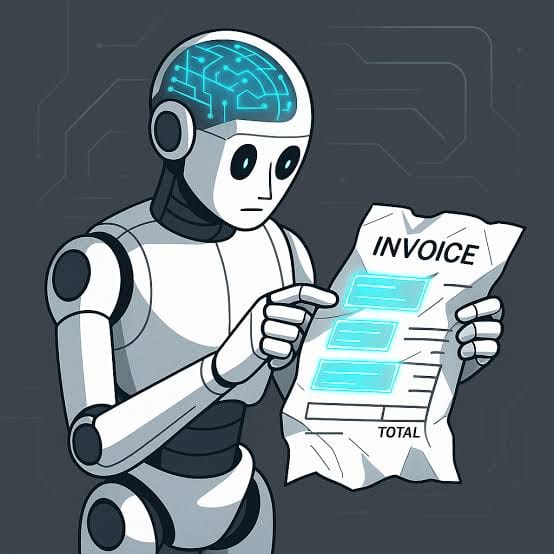
AI Document Processing 101: OCR, LLMs, and Automated Data Pipelines Track: AI-NATIVE (AI Systems) — owner: Dawood Target keyword: AI document processing OCR LLM Meta description: AI document processing with OCR and LLMs explained: architecture patterns for extracting structured data from invoices, contracts, and forms at production scale. If your startup deals with invoices, contracts, medical records, loan applications, or any other unstructured document flow, you've probably had the "can't we just automate this with AI" conversation. The answer is usually yes, but the architecture that actually works in production looks different from what most founders picture. Here's the real pattern. Why "just use GPT-4 Vision on the PDF" isn't the whole answer It's tempting to think you can hand a PDF straight to a multimodal LLM and get clean structured data back. For simple, short, well-formatted documents, that sometimes works fine. For anything at real volume — scanned documents, multi-page contracts, tables with merged cells, handwriting, low-quality scans — you need a proper pipeline, because a single LLM call has no reliable way to guarantee it read every field correctly, and you have no way to verify its output against the source without structure. Production document processing is a pipeline, not a single model call. The actual pipeline architecture Stage 1: Document classification. Before you can extract anything, you need to know what kind of document you're looking at — invoice, contract, ID, medical form. This can be a lightweight classifier or an LLM call with a constrained set of categories, and it determines which extraction schema and rules apply downstream. Stage 2: OCR and layout extraction. For scanned or image-based documents, OCR converts pixels to text. Modern OCR isn't just Tesseract anymore — tools like AWS Textract, Google Document AI, and Azure Document Intelligence preserve layout structure (tables, key-value pairs, checkboxes) alongside raw text, which matters enormously for documents where position carries meaning, like line items in an invoice or fields in a form. Stage 3: Structured extraction with an LLM. This is where the LLM earns its keep — taking the OCR output (or native text for digital PDFs) and mapping it to a defined schema. The critical detail here is using structured output modes (OpenAI's function calling / structured outputs, or JSON mode) rather than asking the model to "return JSON" in free text and hoping it's well-formed. Define a strict schema with required fields, types, and validation rules, and let the model's structured output feature enforce it. Stage 4: Validation and confidence scoring. Every extracted field should carry a confidence signal — either from the OCR engine, the LLM, or both — and a rules layer that flags implausible values (a negative invoice total, a date in the future, a total that doesn't match line-item sums). This is what separates a system you can trust from one that silently inserts wrong data into your database. Stage 5: Human-in-the-loop review for low-confidence cases. Full automation on 100% of documents is rarely the right target for the first version. A well-designed pipeline routes high-confidence extractions straight through and flags low-confidence or anomalous ones for human review, with the review UI showing the source document alongside the extracted fields for fast correction. Over time, review data becomes your evaluation set for improving the pipeline. Where teams get this wrong Skipping validation because the demo looked good. LLMs are fluent and confident even when wrong. A model that misreads a "1" as a "7" in a total will produce a clean, well-formatted, confidently wrong JSON object. Without a validation layer, that error goes straight into your database looking exactly like correct data. Treating every document type the same. An invoice, a contract, and a medical intake form have completely different structure, risk profiles, and accuracy requirements. A one-size-fits-all extraction prompt degrades quality across the board. Production systems use document-type-specific schemas and, often, different extraction strategies per type. No feedback loop. The best document processing systems get better over time because corrections from human review feed back into prompt refinement, few-shot examples, or fine-tuning data. Systems without this loop stay exactly as accurate on day 300 as they were on day one. Underestimating edge cases at volume. A pipeline that handles 95% of documents cleanly sounds great until you realize the 5% edge cases — rotated scans, multi-language documents, unusual formats — are where all your support tickets come from. Budget engineering time for the long tail, not just the happy path. Realistic scope A document processing pipeline covering classification, OCR, structured extraction, validation, and a review interface is typically a 6-12 week build depending on document variety and integration complexity (does it need to write into your existing case management or accounting system?). This is a common project size for us in the $20K-40K range, and it's exactly the kind of scoped, outcome-defined build that suits an outside engineering engagement rather than a slow internal hire. CTA: If you're dealing with a document-heavy workflow that's still manual, tell us the volume and document types on a short call at nextpak.org — we'll tell you honestly what's automatable now versus what needs a human in the loop.

AI Document Processing 101: OCR, LLMs & Automated Data Pipelines

If your business handles invoices, contracts, forms, medical records, or other unstructured documents, AI can automate much of the extraction process—but production-ready automation requires more than simply sending a PDF to an LLM.